
Talos Linux#
When talking to my colleague, he recommended me to use the Linux distribution Talos Linux. Talos is a Linux distribution that is focused on the one task of providing an easy to install, robust and secure Kubernetes instance with a bare minimum Linux installation underneath. It is free and open source, so a great fit for any self hoster who wants to get into the Kubernetes universe. Talos has many images specifically configured for different cloud provide platforms like AWS and Azure. For my use case with a simple VPS, we are going to be using the bare metal installation method.
The Image Factory#
To give you a custom tailored image for your installation, Talos offers an
For my use case, we have to choose at least:
- iscsi-tools
- util-linux-tools
These extensions will later be required for the storage manager Longhorn to work properly. If you have any other specific needs, choose your extensions here. You can also install them later if needed.
You can then install the image according to the Talos getting started guide which you can find here: https://www.talos.dev/v1.11/introduction/getting-started/
This should get you up and running with your Talos instance.
Post Installation#
Once you have your Talos installed, you will see a dashboard screen.
Example from the Talos docs: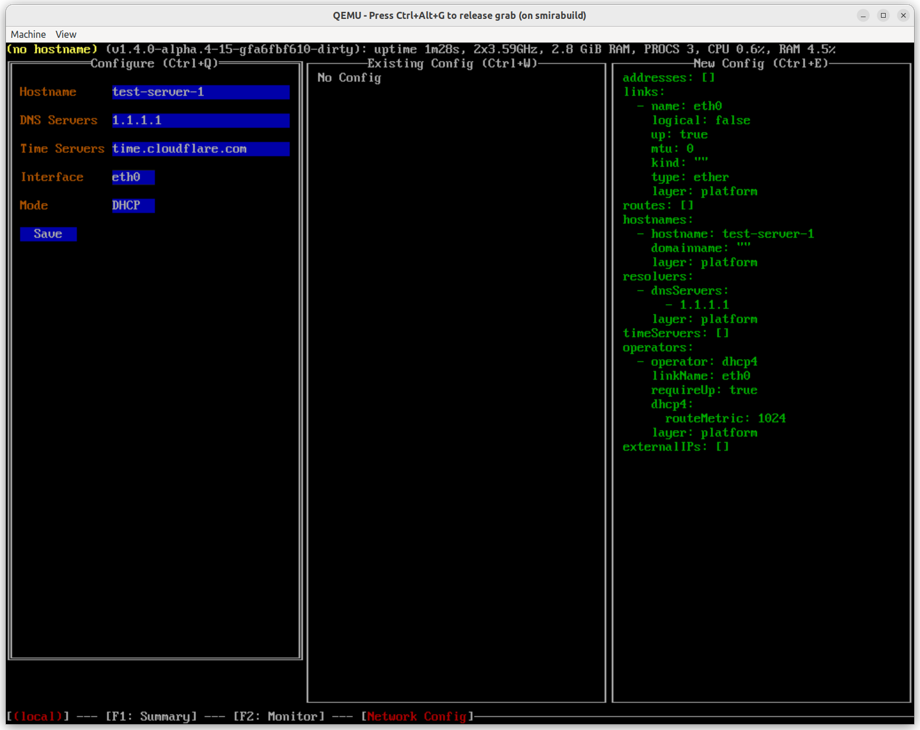
For me, some additional configuration was required at this point. Navigate to the networking tab with your F keys in the Talos dashboard and configure your hostname, IP address, DNS, NTP server and so on. Your instance cannot reach the internet without this. The networking tab may only be accessible from the video console of your sever host and not from the terminal dashboard via talosctl.
You can reach your dashboard via the cli with the command:
talosctl dashboard -n <YOUR IP> --talosconfig talosconfig
Make sure the talosconfig file path is correct, otherwise the command will create a new one and clutter your directories.
The access to your Talos instance is secured via mTLS authentication, so your instance is secured by default. Another beautiful feature of Talos. The certificate data and keys are stored in your configuration files, so keep them safe.