
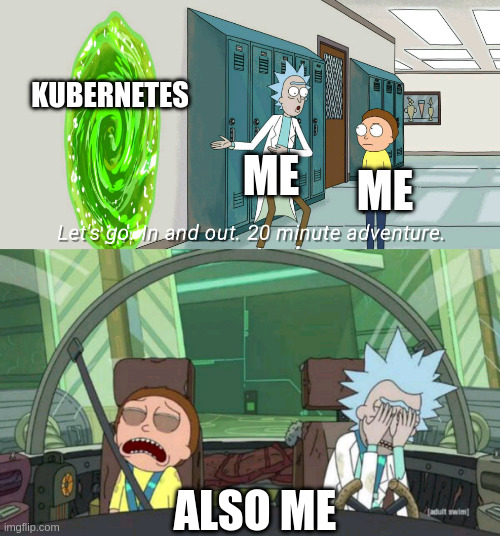
The devil on my shoulder, a colleague of mine, recently advocated me to get into hosting my own Kubernetes cluster. Intrigued by the idea, I got my self some suggestions and advice and went to work on my new task. Long, long story short, it worked. The website you are seeing here is hosted on the result of what I will show you in this series. I somewhat knew what I was signing up for, but I still spent many, many hours on this setup.
Was it fun? Yes.
Have I gone insane? Yes.
Was I already insane? Wibble.
Should you go and wipe your server and install a Kubernetes cluster? It depends.
In the first post of this series I want to talk about my initial experiences with Kubernetes and where I see it’s strengths and challenges. One thing must be said right away: I am by no means a Kubernetes expert. This means that it is entirely possible that my setup is not the state-of-the-art best-practice solution, and it is even very likely that I have made mistakes along the way. Please always keep in mind that there may be more than one correct solutions to a problem. Nonetheless, I want this series to serve as a guide for people like me when I started out and who struggled.
What even is Kubernetes?#
Kubernetes is a so-called “container orchestration” system. At it’s core, Kubernetes is, like Docker and Podman, software that can spin up containers from container images. While Docker and Podman are primarily intended to create single instances of containers, Kubernetes takes the concept a step further. Kubernetes is primarily intended to be used in large-scale cloud deployments. One of the most powerful features of Kubernetes is that different instances of Kubernetes, referred to as nodes, can be grouped together in a cluster that can act as one. This makes it possible to dynamically scale and distribute workloads based on current requirements. Kubernetes can dynamically spawn and remove container instances depending on the load of individual nodes, as well as managing a consistent backend integration.
When you administrate a normal Linux server, you typically connect via SSH to get shell access and then interact with the operating system. You would normally install a container management system and then spin up instances via the CLI or in the case of Podman via Systemd files. In Kubernetes, things work differently.
One very beautiful aspect of Kubernetes is its declarative nature. Basically, every configuration in the cluster can be stored in yaml files that
are then given to the Kubernetes API to be processed and integrated into the instance.
To give you an example, this is what you would give to the Kubernetes API to spin up a standard NGINX container:
piVersion: apps/v1
kind: Deployment
metadata:
  labels:
    app: nginx
  name: nginx
  namespace: default
spec:
  replicas: 1
  selector:
    matchLabels:
      app: nginx
  strategy:
    rollingUpdate:
      maxSurge: 25%
      maxUnavailable: 25%
    type: RollingUpdate
  template:
    metadata:
      labels:
        app: nginx
    spec:
      containers:
        - image: nginx
          imagePullPolicy: Always
          name: nginx
There are many options here which are not strictly necessary, and you do not yet need to understand all of this. This is just to give you an example on how Kubernetes operates.
Why I wanted to try Kubernetes#
As I have already mentioned, Kubernetes is primarily intended to be used in large-scale cloud deployments. So then why use it in a homelab or personal VPS project? To be honest with you, my main intention was to learn and experiment with a new technology. Kubernetes is very interesting and basically the industry standard for cloud.
That said, it is total overkill for my use case. Like firing a thermonuclear device on a drain clog. So to loop back to the beginning, as of now, I don’t really see any major advantage for an individual hosting project to use Kubernetes other than for the sake of it. Which is what I have done. I want you to understand that the learning curve for Kubernetes feels like a 120° angle. It is quite difficult to get into, and some things are more complicated to set up compared to a bare Linux host. Kubernetes is amazing if you intend to host web services. Any other service that requires ports other than 80 and 443 will require more involved configurations. But those are topics that I have not yet figured out but hope to during this post series.
In the next post I want to go over which tools and software I have used to get my instance up and running.